 Support Engineer
Updated :
Support Engineer
Updated :
If you're having problems using card readers after the installation of Kaspersky Internet Security, try the following:
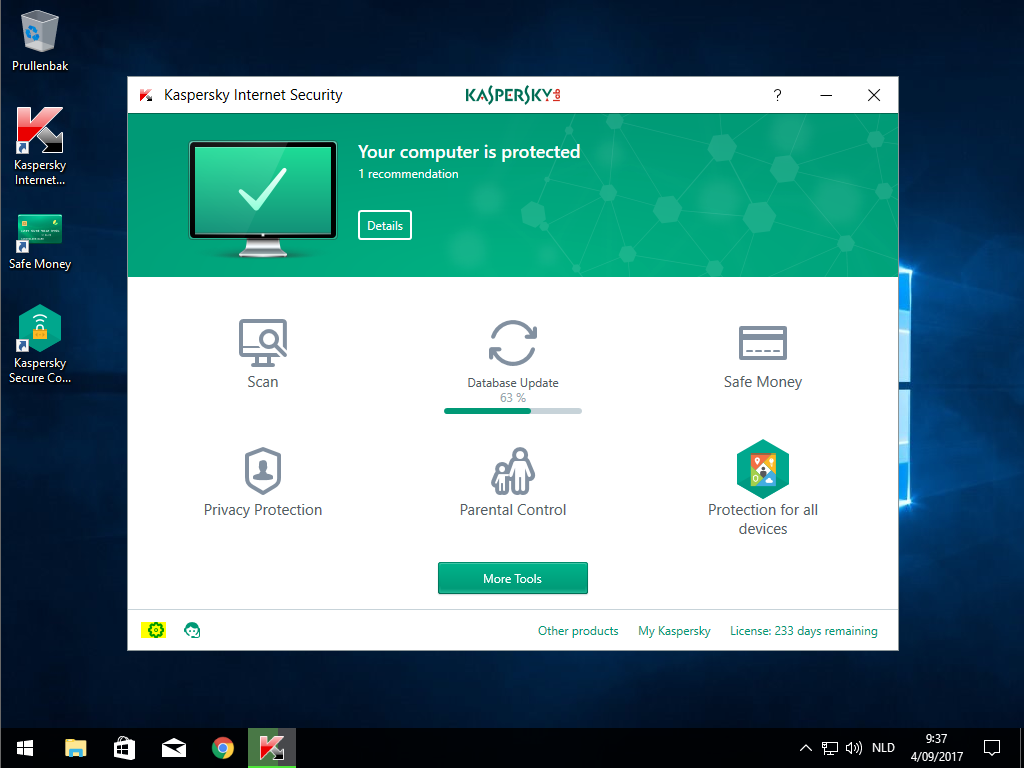
1. Open Kaspersky & click on the gear icon (settings)
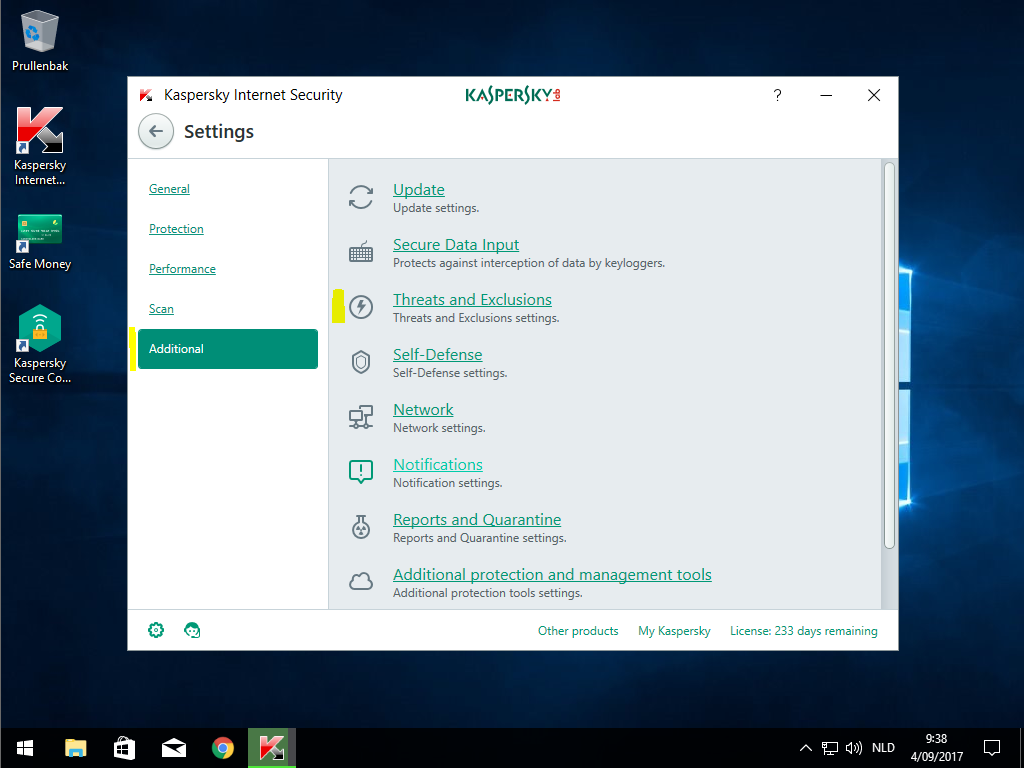
2. Choose Additional & Threats and Exclusions
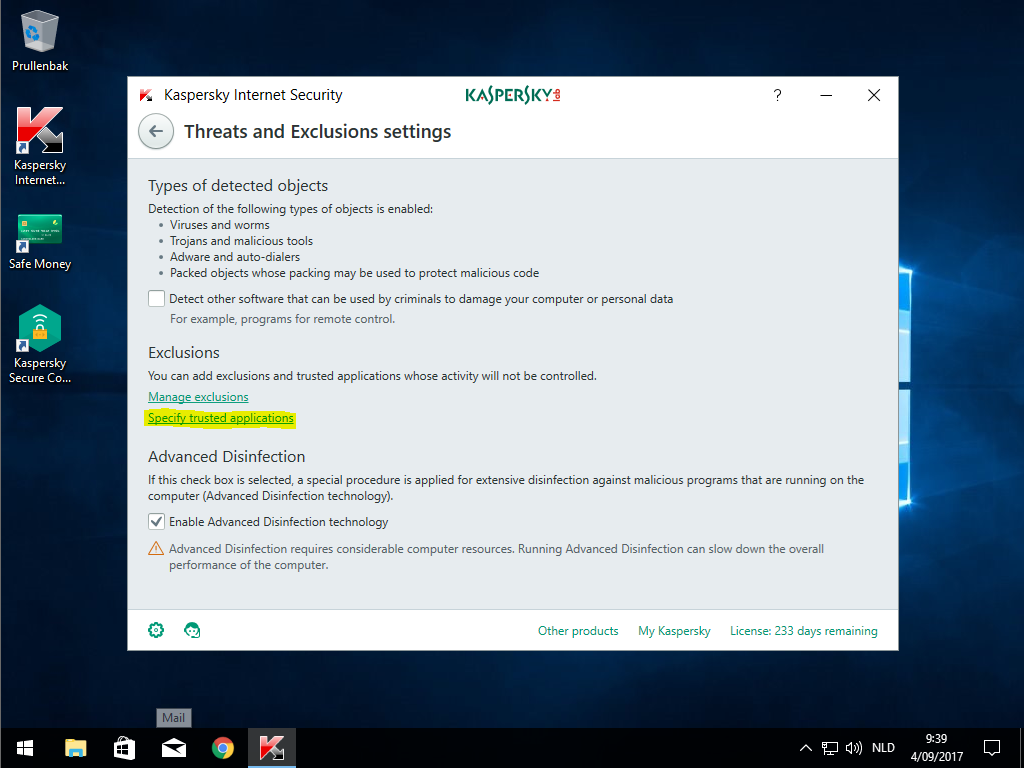
3. Click 'Specify trusted applications'
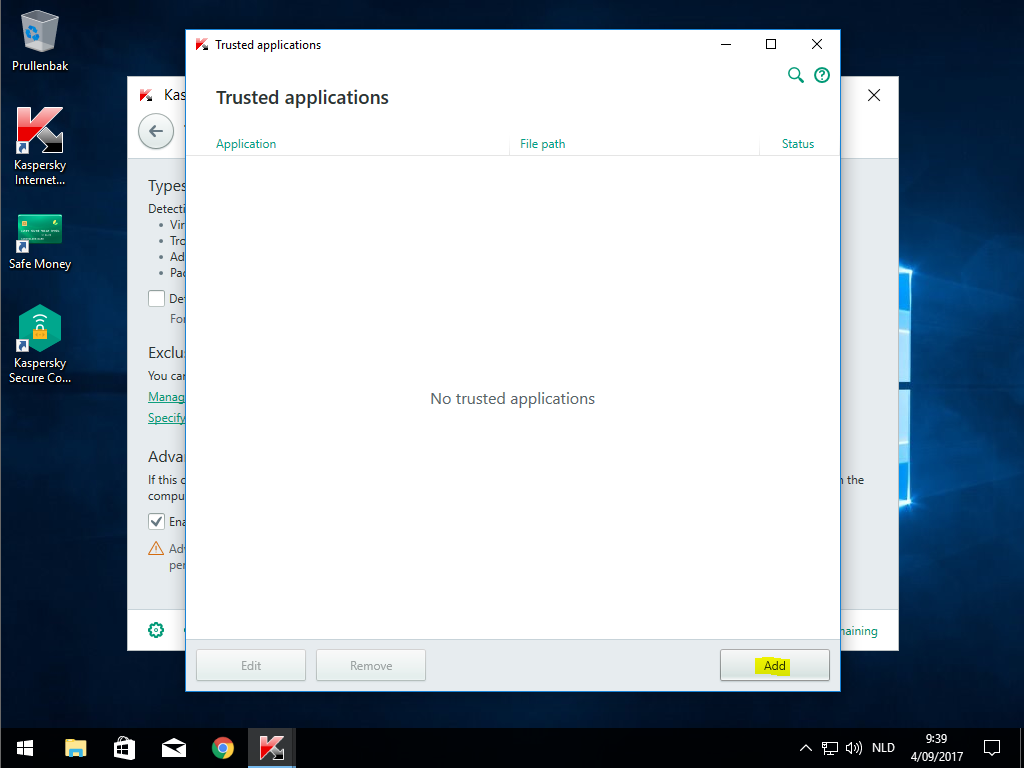
4. Click Add
5. Find the desired Browser in the list or click on 'Browse' to search for it
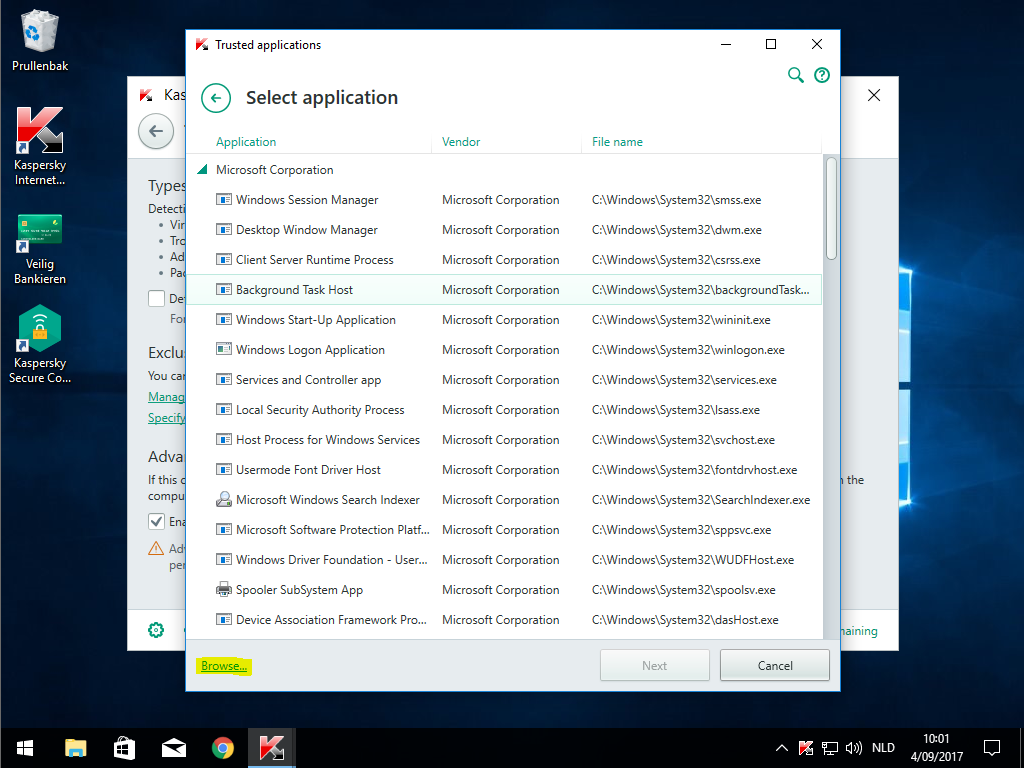
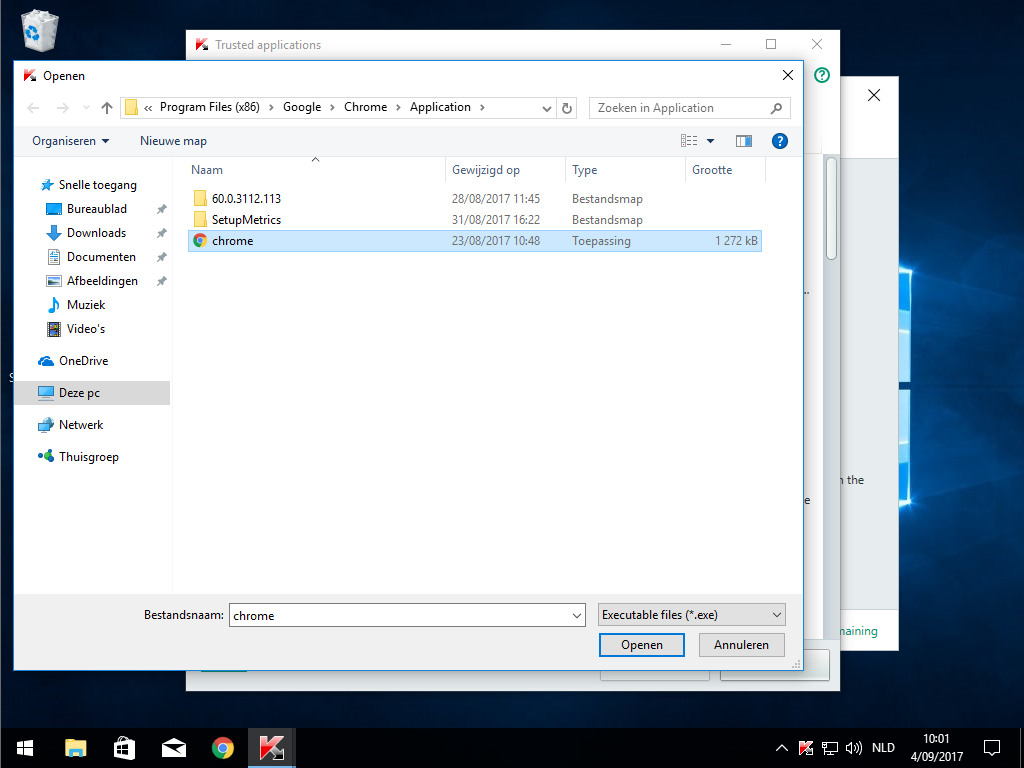
6. Go to the install location, select the Browser and click 'Open'
Internet Explorer: C:\Program Files (x86)\Internet Explorer\iexplore.exe
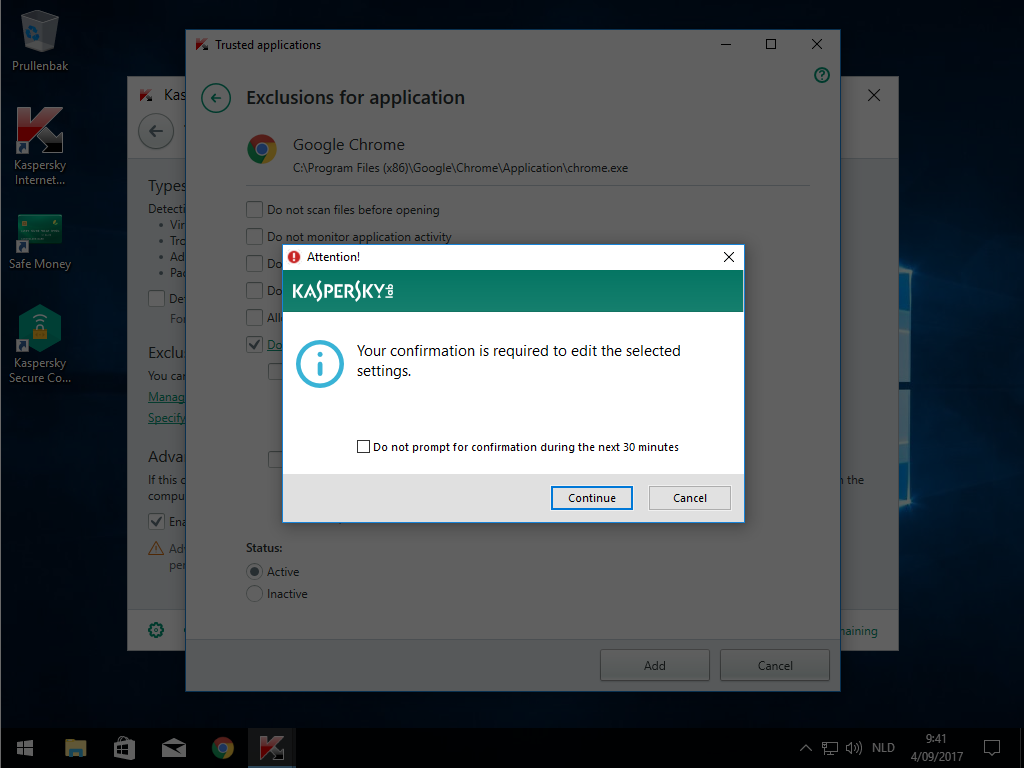
Google Chrome: C:\Program Files (x86)\Google\Chrome\Application\chrome.exe
Microsoft Edge: C:\Windows\SystemApps\Microsoft.MicrosoftEdge_8wekyb3d8bbwe\MicrosoftEdge.exe
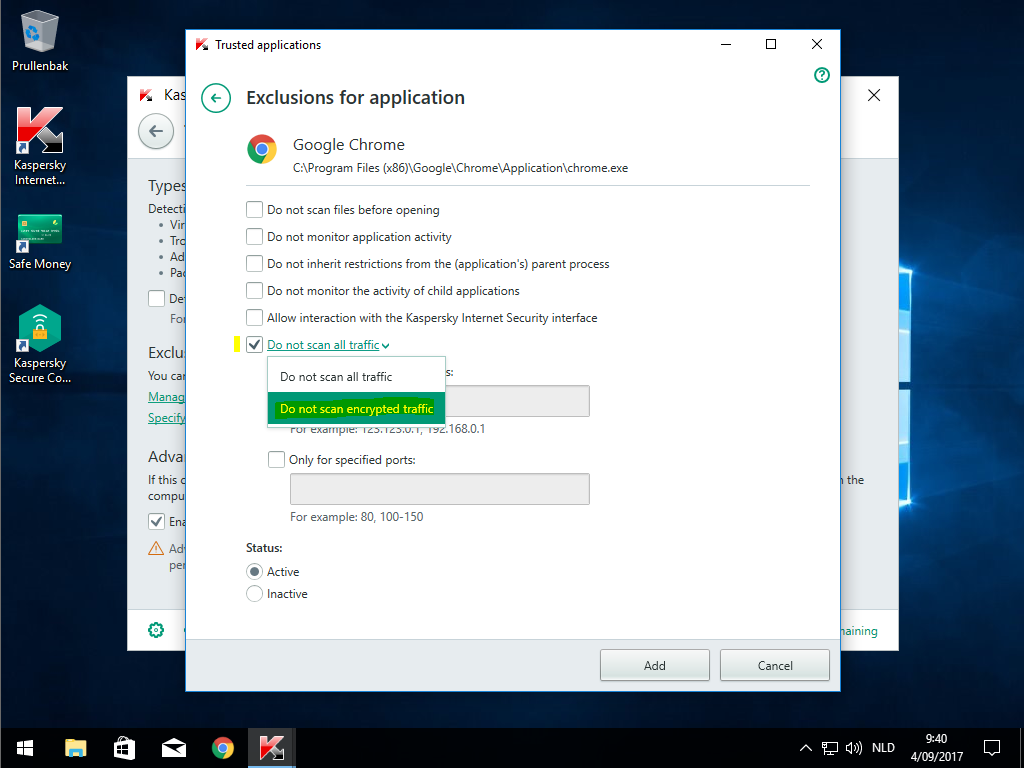
7. Check 'Do not scan all traffic'/'Do not scan encrypted traffic' and choose 'Do not scan encrypted traffic'
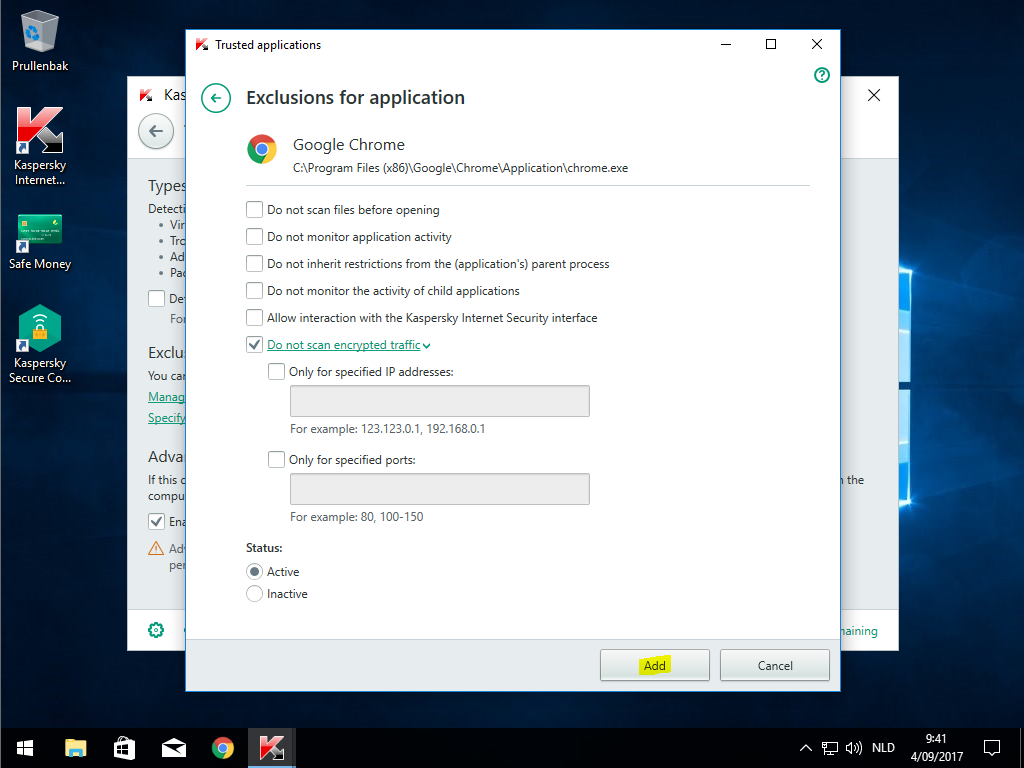
8. Click 'Add'
9. Click 'Continue'
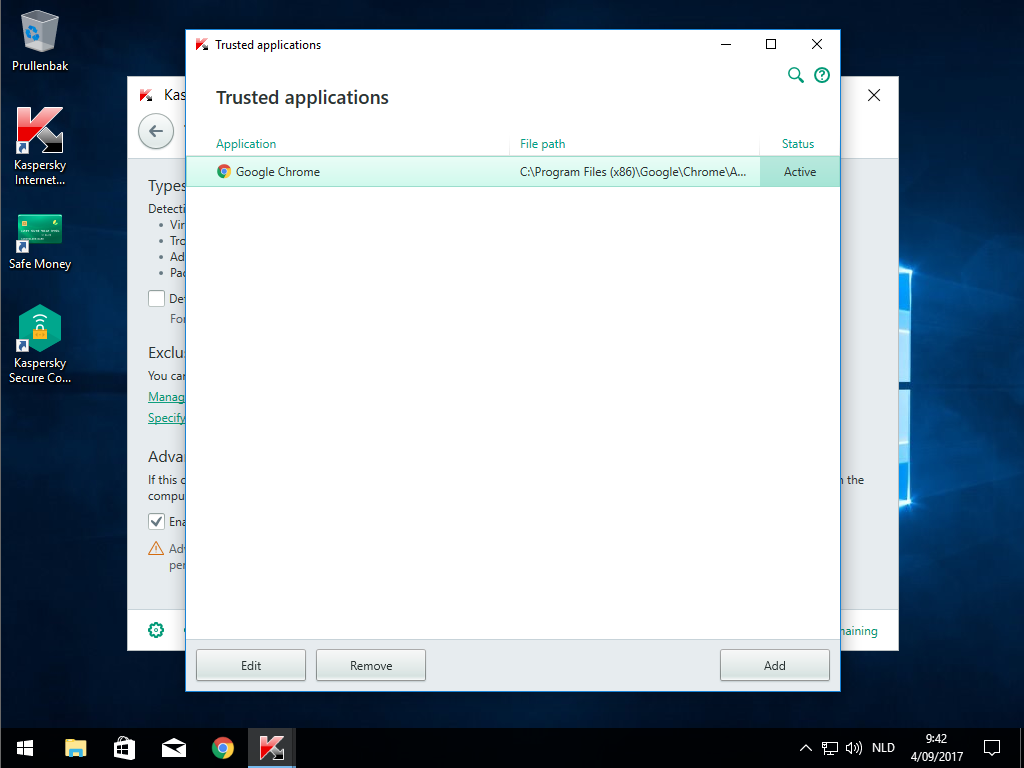
10. The Browser has now been added and the issue with the card readers should be resolved for that Browser
Comments